Host protection
Warden operator guide
Warden reads your SSH and web-server logs and bans attackers in the Linux firewall. It works on its own with no account. Watch first, then block. Connect it to Witen for shared blocklists and reports.
Quickstart
- Download the build for your host and check its checksum. Install it without changing existing configuration or service state.
- Keep the service stopped. Run
sudo warden discover, pick readable logs, and setbackend = "null"for observation mode. - Add your real management address or CIDR to
never_block. Runsudo warden validate --config /etc/witen/warden.toml, start the service, and checksudo warden sourcesandsudo warden events. - Keep independent console access. Once client addresses and detections look right, choose the firewall backend and restart the service.
- Confirm
sudo warden blocked --source localmatches Warden's firewall table. Test with a separate staging address and remove it withsudo warden unban IP.
Everything above works without a Witen account. Connecting is optional.
Choose a build
Native packages
DEB for Debian or Ubuntu; RPM for AlmaLinux, Rocky Linux, RHEL, or Fedora; APK for Alpine. Packages install the service account, configuration, init definition, manual, state directories, and lifecycle hooks.
Portable builds
The glibc archive for Gentoo and other glibc systems; the musl archive for musl systems other than Alpine. Both support systemd and OpenRC. The 386 glibc archive is for legacy 32-bit x86 only.
Downloads are public. Pick the artifact for your distribution, architecture, and libc, and check its SHA-256 checksum before you install. Never put a glibc binary into an Alpine package.
| Build | Platform | SHA-256 |
|---|---|---|
| Debian package witen-warden_0.1.42-1_amd64.deb | Debian or Ubuntu · amd64 | 86ea23328e103d5be8e3528f052115fa96ea230de8cac88f1e6d68bbaa9b14da |
| Portable glibc archive witen-warden-0.1.42-linux-amd64-glibc.tar.gz | Linux · amd64 · glibc 2.31+ | 88c4778f01eb956d6274c4a55c66d658b1b42d9626f94e2b0040c891dc378403 |
| Portable musl archive witen-warden-0.1.42-linux-amd64-musl.tar.gz | Linux · amd64 · musl | 2a861deb1ae1bb26e6ba70d01794998c86b1cafac9f82a5f74a7a0c3003b32fc |
| Legacy portable archive witen-warden-0.1.42-linux-386-glibc.tar.gz | Linux · 386 · glibc 2.31+ | 4117275a141f843e68a0f28ffab3f4b2acf1726b460453472df054478162c16c |
| Alpine package witen-warden_0.1.42-r1_x86_64.apk | Alpine Linux · x86_64 | aaf182723e99f4b05c3c7da6f4f4c92ec4933f2c9b85abc3cd7699f73196593b |
| RPM package witen-warden-0.1.42-1.x86_64.rpm | AlmaLinux, Rocky, RHEL, or Fedora · x86_64 | ca03b178cf0aa3392785192e40b073bd84a505319913f39f946d487e3a8bbc3f |
Install Warden
Debian package
sha256sum ./witen-warden_*.deb
sudo apt install ./witen-warden_*.deb
warden --version
man 8 warden
RPM package
sha256sum ./witen-warden-*.x86_64.rpm
sudo dnf install ./witen-warden-*.x86_64.rpm
warden --version
man 8 warden
Alpine package
sha256sum ./witen-warden_*.apk
sudo apk add --allow-untrusted ./witen-warden_*.apk
warden --version
The APK is distributed directly, not through an Alpine repository, so install it from the checked local file.
Portable archive
sha256sum ./witen-warden-*-linux-amd64-glibc.tar.gz
tar -xzf ./witen-warden-*-linux-amd64-glibc.tar.gz
cd ./witen-warden-*-linux-amd64-glibc
sudo ./install.sh
sudo warden validate --config /etc/witen/warden.toml
The portable installer doesn't enable or start a service. On OpenRC it installs the service files; on other hosts, install the included init definition that fits.
Verify a download
Every Warden release is signed. For each version we publish a signed release statement that lists all six files, the DEB, RPM, and APK packages and the three portable archives, with each file's size and SHA-256. A release key on our build host signs the statement. An offline root key, which never touches a server, certifies that release key. Warden has the root's public key built in, so it can check any download without trusting the server it came from.
With Warden installed
Download the statement and its signature next to the file, then let the installed Warden check it before you install. It refuses a file the statement doesn't list, a statement that was changed, and a key that was revoked.
V=0.1.42
B=https://www.witenlabs.com/api/releases/warden
curl -fsSLO "$B/signatures/witen-warden-$V.release.json"
curl -fsSLO "$B/signatures/witen-warden-$V.release.sig"
warden verify-release ./witen-warden_$V-1_amd64.deb
sudo apt install ./witen-warden_$V-1_amd64.deb
The portable install.sh does this check itself before it changes anything: keep the archive, the .release.json, and the .release.sig in one directory and extract the archive there. If a file is missing or doesn't verify, nothing is installed. --skip-signature-check installs anyway and warns loudly; use it only after you've checked the download another way. Package hooks can't see the package file they come from, so check DEB, RPM, and APK files with warden verify-release first.
On a first install
A host without Warden has nothing it already trusts. On a first install, your trust comes from HTTPS to www.witenlabs.com and from the root fingerprint below, which is also printed in man 8 warden. The installer checks the archive with the release's own binary and prints the root fingerprint it used, so compare it. To check without any Warden binary, verify the chain with OpenSSL 3 and jq:
ROOT_PUB=...   # the root public key below
pem() { printf -- '-----BEGIN PUBLIC KEY-----\nMCowBQYDK2VwAyEA%s\n-----END PUBLIC KEY-----\n' "$1"; }
printf %s "$ROOT_PUB" | base64 -d | sha256sum        # must equal the root fingerprint
# The root signed the key set.
jq -r .keys witen-warden-$V.release.sig | base64 -d > keys.json
jq -r .keys_signature witen-warden-$V.release.sig | base64 -d > keys.sig
{ printf 'witen-release-signature/v1\n'; cat keys.json; } > keys.msg
pem "$ROOT_PUB" > root.pem
openssl pkeyutl -verify -pubin -inkey root.pem -rawin -in keys.msg -sigfile keys.sig
# A release key in that set, not revoked, signed the statement.
KEY_ID=$(jq -r .key_id witen-warden-$V.release.json)
pem "$(jq -r --arg id "$KEY_ID" '.keys[] | select(.key_id == $id and .revoked_at == 0) | .public_key' keys.json)" > release.pem
jq -r .signature witen-warden-$V.release.sig | base64 -d > statement.sig
{ printf 'witen-release-signature/v1\n'; cat witen-warden-$V.release.json; } > statement.msg
openssl pkeyutl -verify -pubin -inkey release.pem -rawin -in statement.msg -sigfile statement.sig
# The statement lists your download.
jq -r '.artifacts[] | "\(.sha256)  \(.name)"' witen-warden-$V.release.json
sha256sum ./witen-warden-$V-linux-amd64-glibc.tar.gz
Also check that the key's not_before and not_after in keys.json cover the statement's signed_at.
Transparency log
The build host's signer writes every signature it makes to an append-only log before the statement leaves the host, and we publish that log at /api/releases/warden/log. Each line is a signed entry, chained to the one before it. warden verify-release FILE --log log.txt also requires the statement to appear there. The log only grows. If a release key were ever misused through the signer, every statement it signed would show up here, and revoking the key stops Warden from trusting any of them.
Start in observation mode
Keep the service stopped while you edit /etc/witen/warden.toml, and set sources and observation mode before you start it. Leave the enrollment token and sensor credential unset and Warden uploads nothing to Witen; it still downloads reference data and checks for updates.
Find supported logs
sudo warden discover
sudo warden discover --toml
Discovery only reads. It lists non-empty supported log files and journal services; it doesn't add them or change the host.
Watch SSH
[ssh]
enabled = true
timezone = "auto"

[journal]
enabled = "true"
cursor_path = "/var/lib/witen/journal-cursors.json"

[jail]
backend = "null"
max_ssh_failures = 3
max_http_probes = 20
window_duration_sec = 300
ban_duration_sec = 3600
firewall_reconcile_interval_sec = 300
# Replace with your actual management address or CIDR before enforcement.
never_block = ["192.0.2.10"]
On OpenRC or with file-based logging, set ssh.log_file to the authentication log and grant the service account the narrowest group or ACL that can read it.
Web access logs
[[logs]]
path = "/var/log/caddy/access.log"
type = "caddy"

[[logs]]
path = "/var/log/nginx/access.log"
type = "nginx"
Supported access logs: nginx, Apache, Caddy, lighttpd, Traefik, Envoy, HAProxy, Varnish, and Pound. Have Caddy write its native JSON with client IP fields that respect trusted proxies.
Validate and start
Confirm the null backend and your log sources, and fix any validation failure before you start.
sudo warden validate --config /etc/witen/warden.toml
sudo systemctl enable --now witen-warden
sudo systemctl status witen-warden
sudo journalctl -u witen-warden -f
sudo warden sources
sudo warden stats --resources
Validation checks the parsed configuration, paths, log readability, the selected firewall tools, daemon sockets, XDP or JA4 prerequisites, and live sources. It installs no rules and changes no state. On OpenRC, use rc-update add witen-warden default and rc-service witen-warden start.
- The service is active and reports the version you installed.
- Every source you need is healthy and advancing as logs arrive.
- The backend is
nullduring the trial, so detections are observations, not firewall blocks. - Review
warden events --limit 100 --jsonand source health. A quiet log may have no security events yet. warden blockedandwarden statsreach the running daemon through the admin socket.
Turn on firewall blocking
- Review the observed events and thresholds, with an independent console or recovery session open.
- Replace the documentation examples in
never_blockwith your real management addresses and networks. - When you're ready to block, set
backend = "nft"under[jail], validate, and restart the service in a maintenance window. - Check Warden's rules and local blocks. If a block is wrong, remove it with
warden unban IPand find the cause.
nftis the recommended Linux backend.iptables, experimental PF, XDP, and observation-onlynullare also available.- With
nft, Warden keeps its rules in its own table,inet witen. It never changes your other tables, chains, or INPUT policy. - Upgrading from 0.1.19 or earlier moves Warden's sets out of the shared
inet filtertable automatically. Your own rules stay exactly as they are. - With UFW on iptables-nft, Warden's rules don't appear in
iptables -L. Inspect them withnft list table inet witen. - Temporary bans survive restarts, expire locally, and can renew while blocked traffic continues.
- Addresses and CIDRs in
never_blockoverride automatic, manual, blocklist, and immediate policy bans.
sudo nft list table inet witen
sudo nft list set inet witen witen
sudo warden blocked --source local
sudo warden statsKernel mitigations
From 0.1.39, Warden protects the host from a kernel flaw that has no fixed package yet, when a firewall rule can block the traffic the flaw needs. It decides from the kernel that is running, applies the rule while that kernel is affected, and removes it once a fixed kernel runs. The first is CVE-2026-98432: Warden drops IPv4 TCP packets that carry IP options, which legitimate TCP doesn't use, before connection tracking or the TCP stack sees them.
From 0.1.40, which kernels still need a mitigation comes from a signed feed that Witen updates from the Ubuntu, Red Hat, and kernel trackers. Warden fetches it every six hours, verifies its signature, and keeps the last good copy; without it, the data built into Warden applies. The key that signs the feed is certified by the same offline root that signs Warden releases and is never on the server that publishes it, so a compromised server can delay the feed but cannot mark a kernel fixed. A copy that expires (90 days after signing) can keep a mitigation on but never takes one off. Only a fix the vendor has released counts. The feed can only pick among firewall rules compiled into Warden, so nothing in it can block other traffic.
sudo warden mitigations
sudo warden mitigations --json- Each mitigation reports
enforcing,observing,not_needed,off,unavailable,held, orunsupported, with the reason, the backend, and the packets, bytes, and distinct senders it caught, then which data it was judged with: the signed feed, its saved copy, or the built-in data. The same appears inwarden tui(key 0) and inwarden validate. - Each mitigation has a risk class. Only
lowapplies automatically; one abovemax_riskreportsheldand names the setting that applies it. A feed entry that needs a rule this Warden doesn't have reportsunsupporteduntil you upgrade. - In observation mode (
backend = "null") Warden changes no firewall rules, so mitigations reportunavailableand say how to turn them on: turn on firewall blocking, or add the rule by hand from the advisory. - The rules live apart from Warden's bans and from ufw or firewalld: the table
ip witen_mitigationswith nftables and XDP, and the raw-table chainWITEN-MITIGATIONSwith iptables. They stay in place while Warden restarts and are removed when the package is. - Senders are counted, never banned. The packets are dropped before any handshake, so their source addresses are unverified and could be forged.
- With iptables-legacy the rule needs the
iptable_raw,xt_u32,xt_recent, andxt_commentmodules.warden config mitigation-modulesprints a modules-load file for them.
[mitigations]
# "enforce" drops, "observe" counts without dropping, "off" disables
mode = "enforce"
# "auto" applies only while the running kernel is affected; "always" applies regardless
apply = "auto"
# highest risk class applied automatically: "low", "medium", or "high" (0.1.40)
max_risk = "low"
# fetch the signed feed from collector_url; false uses the built-in data (0.1.40)
feed = trueDaily operations
| Task | Command | What it shows |
|---|---|---|
| Overview | warden tui | Interactive candidates, bans, events, sources, trends, and alerts. |
| Who's close to a ban | warden candidates | Addresses nearing a threshold. They are not blocked yet. |
| Why one address | warden candidate IP | Policy, score, threshold, and the evidence behind them. |
| What's blocked | warden blocked --source all | Local bans plus entries downloaded from Witen. |
| What changed | warden actions | Recorded lifecycle, blocking, and coalescence actions. |
| Tune safely | warden recommend --window 7d | Small, safe suggestions. Warden never applies them itself. |
sudo warden ban 192.0.2.10 3600
sudo warden unban 192.0.2.10
sudo warden reload --config /etc/witen/warden.toml
sudo warden events --limit 100 --json
The terminal interface
Run sudo warden tui for a live view of the daemon. Press 0 to 9 to switch views (9 is Advisories from 0.1.37, 0 is Mitigations from 0.1.39), / to filter by address, and Enter on a row for its details. b bans the selected address after you confirm a duration, u lifts a ban, and q quits.
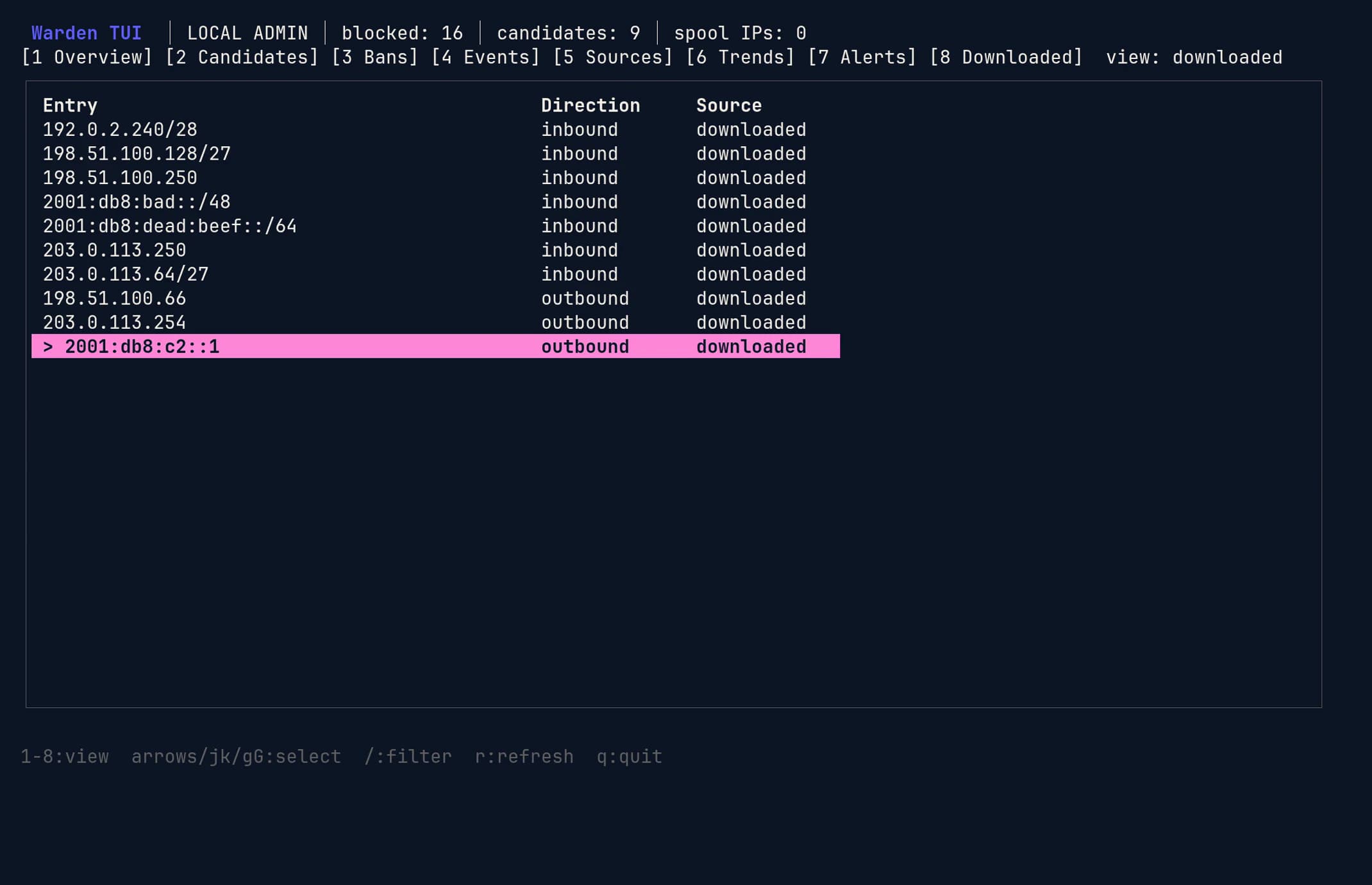
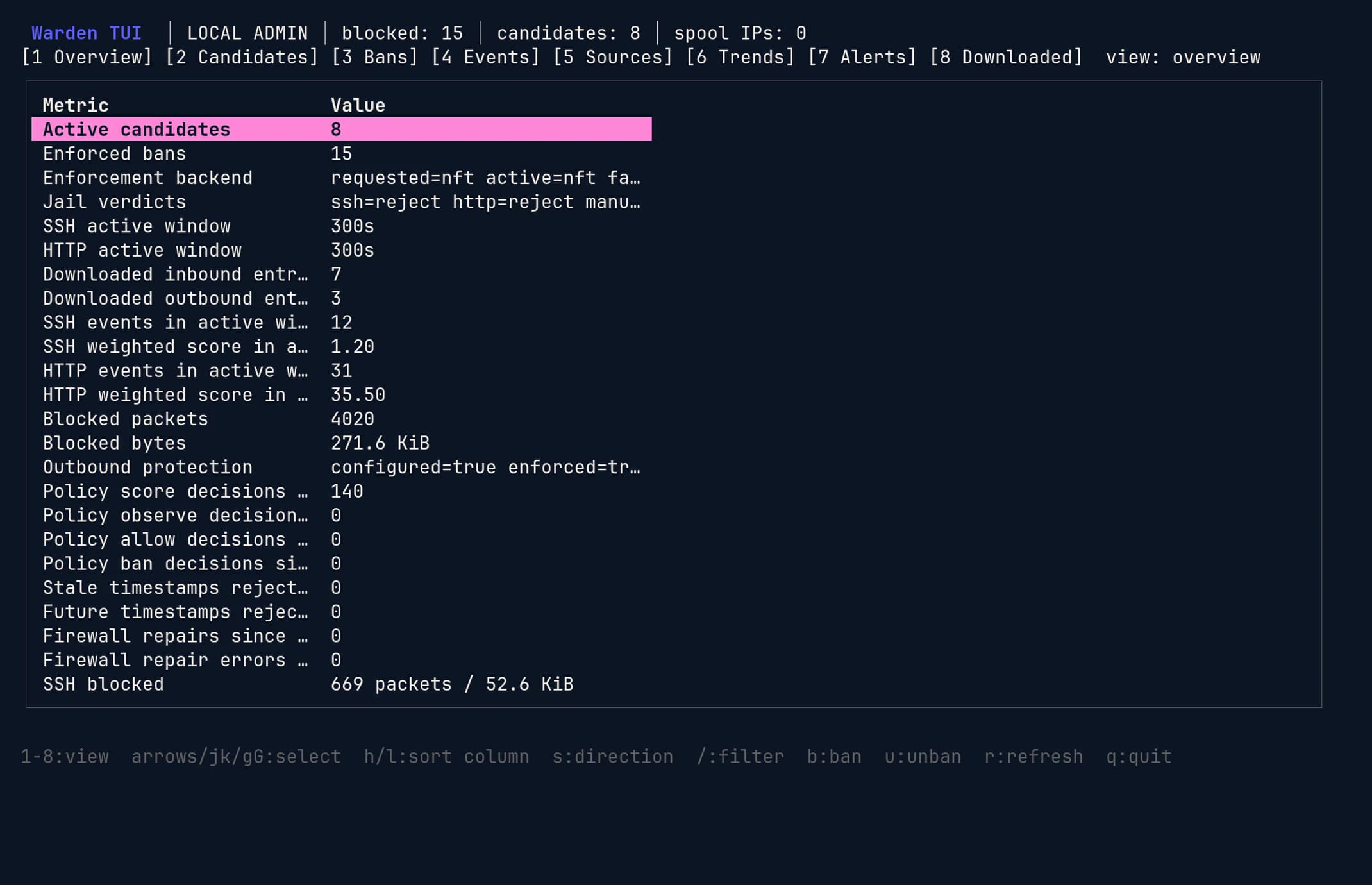
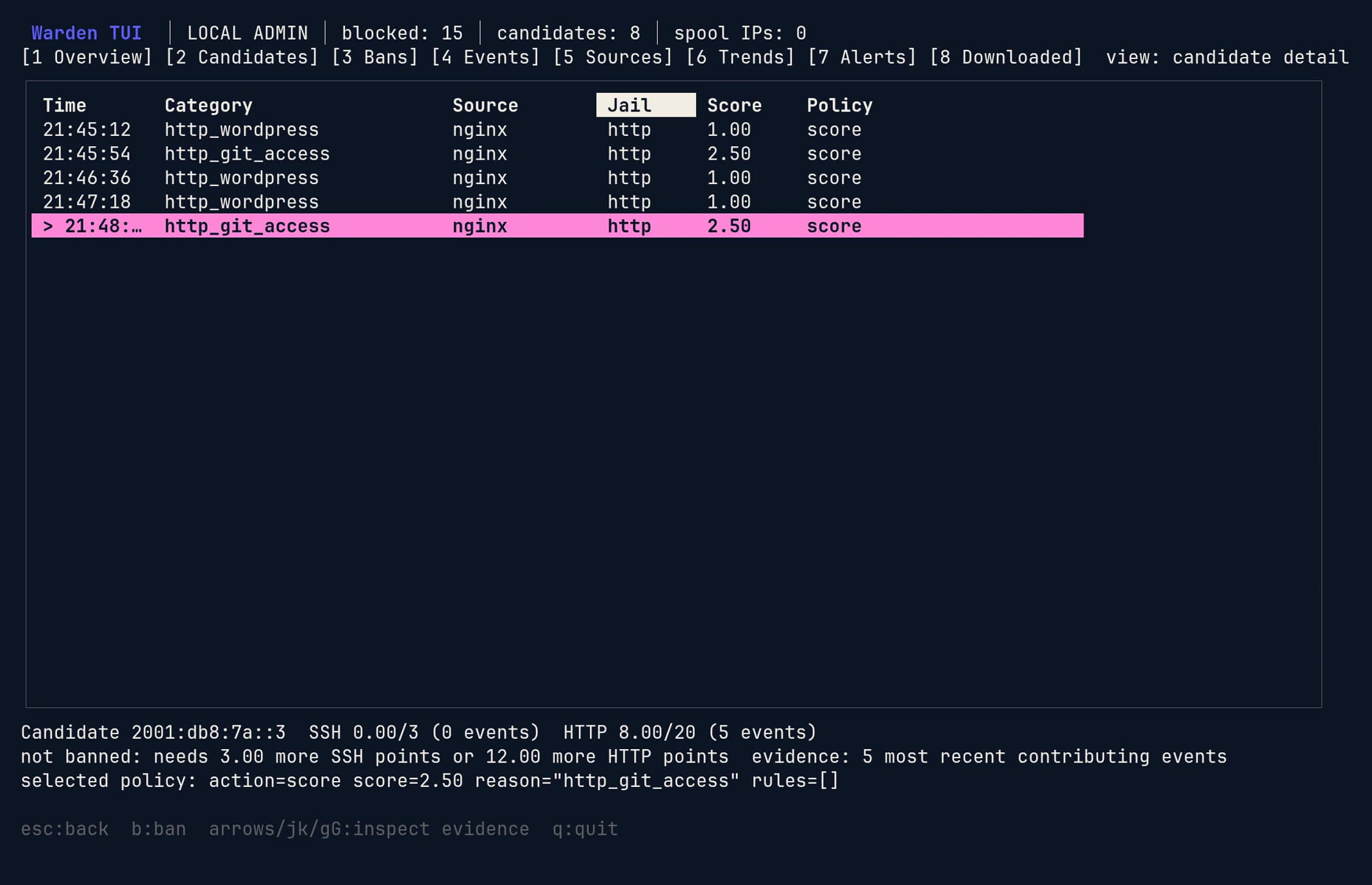
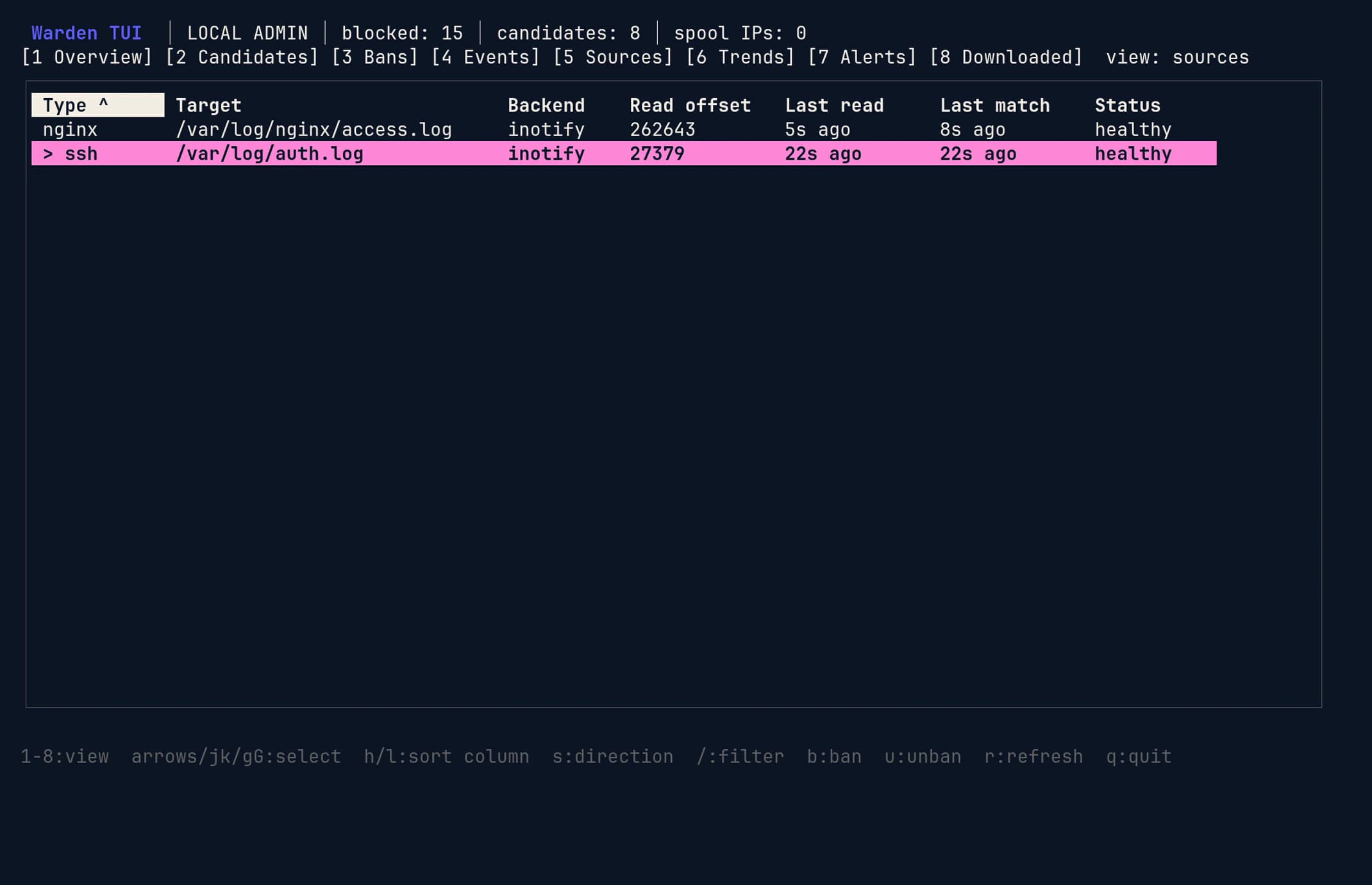
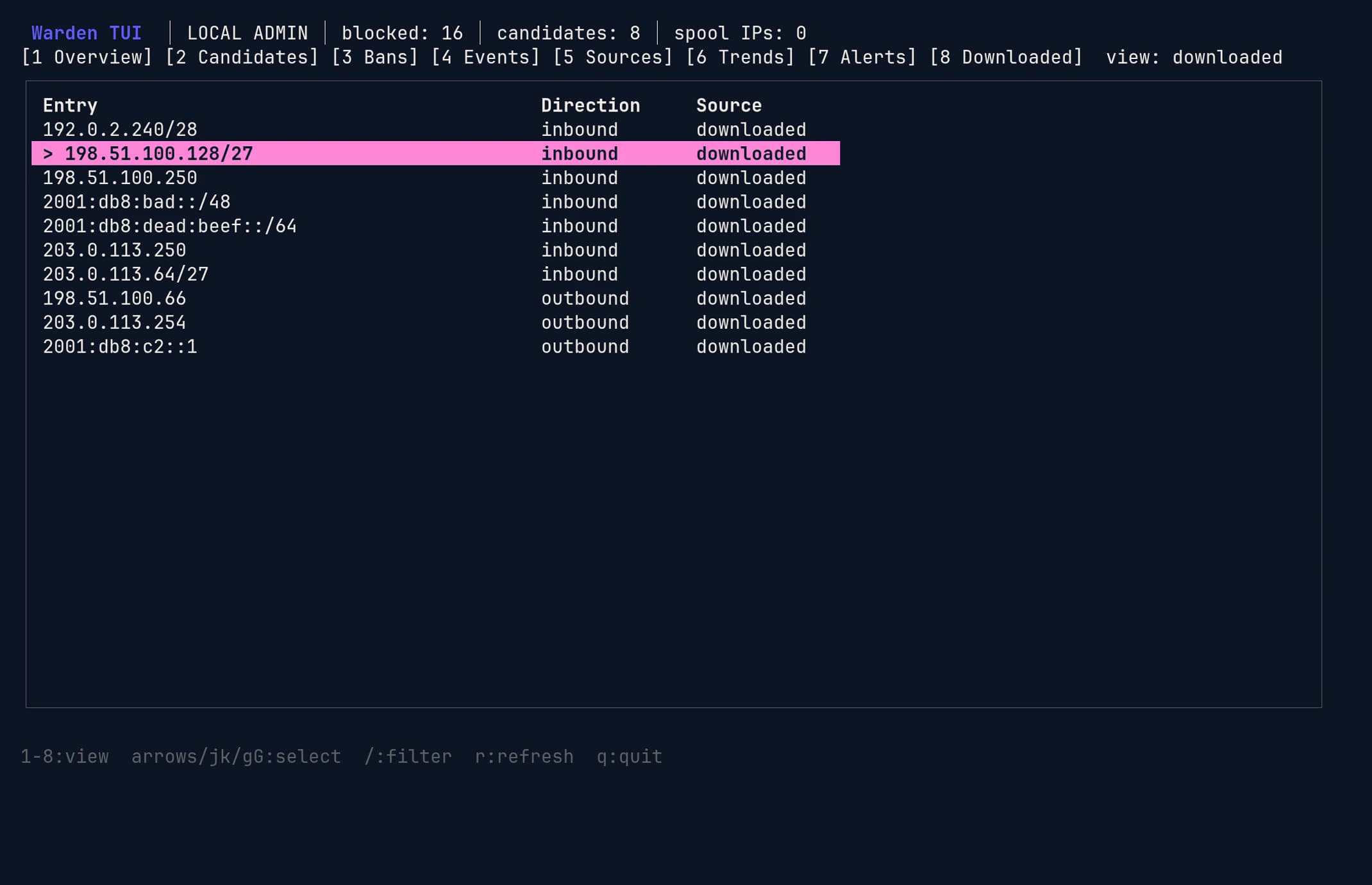
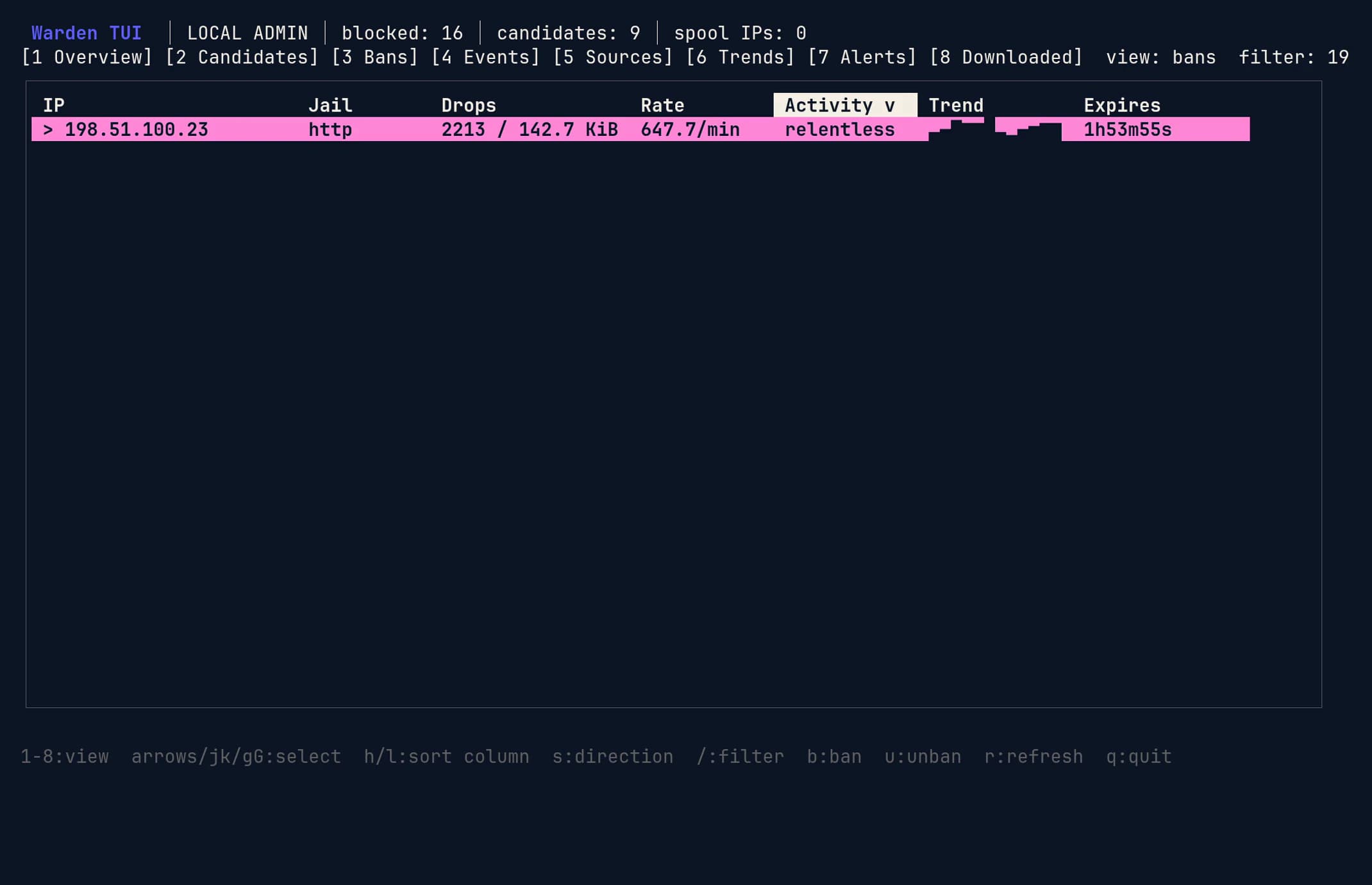
Screens show a demonstration host with synthetic attack traffic from documentation address ranges. warden tui --json prints the same snapshot for scripts.
Upgrade and roll back
- Download the build for the host's architecture and libc, and check its signature.
- Record
warden --version,warden stats, and the service state. - Back up the database. Schema 30 changes event uniqueness, so rolling back the binary also means restoring the database that matches it.
- Install the package or run the new portable installer. Configuration and state are kept.
- Run
warden validatebefore you restart. - Restart, then confirm the new version, source positions, active bans, reporting to Witen, and each plugin's background connection to Warden.
warden --version
sudo warden validate --config /etc/witen/warden.toml
sudo systemctl restart witen-warden
warden --version
sudo warden sources
sudo warden blocked --source all
Portable installs restart the service
From 0.1.37, the portable install.sh checks the release signature, then stops a running Warden service, replaces the binary, starts the service again, and checks that exactly one Warden runs the new binary. Don't restart it again afterwards. A stopped service stays stopped. On OpenRC it installs its own init script first, which waits up to 50 seconds for the old daemon to finish its last upload. If anything fails after the stop, it starts the service again. --no-restart replaces only the files, and the running daemon keeps the old binary until you restart it.
# Keep the .tar.gz, .release.json and .release.sig together
tar xzf witen-warden-0.1.37-linux-amd64-glibc.tar.gz
cd witen-warden-0.1.37-linux-amd64-glibc
sudo ./install.sh
Update notices
Warden 0.1.37 and later tell you when a newer release is out. You'll see update available: 0.1.38 in the TUI header, an update check: line in warden stats with the installed version, the latest version, and the last check time, and a warning in warden validate. Each new version is logged once. Warden never downloads or installs anything on its own. Upgrade with the steps above.
Shortly after it starts, and then about once a day, Warden sends one plain HTTPS request to /api/releases/warden/latest, the signed statement of the latest release. It reports a new version only after the signatures check out against the root built into Warden, the statement hasn't expired, and it isn't older than one it has already seen. The request carries only a User-Agent with the installed version, an Accept header, and a random request ID. It sends no sensor credential, hostname, or configuration. Like any web request, it shows us the connecting address. An answer that doesn't verify shows as update check failed: signature in warden stats and warden validate. A failed check never affects blocking or reporting. Behind a proxy, set HTTPS_PROXY in the service environment.
# /etc/witen/warden.toml: turn the check off, for example on offline hosts
[update_check]
enabled = falseTroubleshooting
The service won't start
- Run
warden validate --jsonand fix the first failing check. - Check the configured logs exist and the service account can read them.
- Check the selected firewall binary and kernel support are present.
- Don't start a foreground daemon while the service holds the runtime lock or admin socket.
Why was this address blocked?
- Run
warden decisionsto list recorded local blocking decisions. - Run
warden explain RECEIPT_IDfor the subject, reason, evidence count, actuator, timing, and lifecycle state. - Add
--jsonfor output you can attach to automation or a support request. - Undo a block with
warden unban IP; the receipt then recordsrolled_back.
Outbound protection
Outbound blocking is off unless you set outbound_protection_enabled, and needs a firewall backend with direction-specific rules. The feed is active only when Warden status shows both outbound_configured=true and outbound_enforced=true.
Events are missing
- Run
warden sourcesto check the selected backend, offset, last event, and collection error. - Apache and nginx error logs listed under
[[logs]]are read from their files even when journald collection is on (Warden 0.1.31 and later). Earlier versions skipped them on journald hosts. - Error, mail, FTP, and database logs carry no timezone. With
timezone = "auto", Warden 0.1.32 and later read them in the host's zone; earlier versions read them as UTC, which can make events look hours old. - Check the log format and client IP fields, especially behind trusted proxies.
- From 0.1.37,
warden statslists a source Warden can't read aslog sources: N of M UNHEALTHY, with the reason (permission_denied,not_found, orread_error), when it started, and how to fix it. Warden also reports each source's health to Witen with its uploads. - On systemd hosts, 0.1.37 repairs the service account's access to Apache logs by itself:
witen-warden-log-access.pathruns when the log directory's permissions change andwiten-warden-log-access.timerevery 15 minutes. OpenRC hosts repair it when the service starts. - From 0.1.38, a log that file permissions allow but Warden's AppArmor profile or SELinux policy refuses is listed as
confinement_denied, with the rule or file context that fixes it; the ACL repair can't help there.warden statsalso shows aconfinement:line, and warns when Warden runs outside its packaged profile or SELinux domain. On systemd hostswiten-warden-confinement.pathand.timerload the profile, reinstall the SELinux module, and restore labels by themselves, and leave a profile you disabled withaa-disableor a module you disabled withsemodule -dalone. - Run
warden backfill --since 1hto import history without blocking. Add--enforceonly after you've reviewed what it would block.
Witen is unreachable
Local detection and blocking carry on. Events wait in the on-disk outbox, which has a size limit, and send in order once the connection returns. Check the upload counters in warden stats, DNS and TLS reachability, and the sensor credential file. Don't replace the credential just because the collector is briefly unreachable.
More detail
The package includes the full offline manual, man 8 warden and info warden, covering XDP, JA4, backfill, policy rules, sockets, and the TUI.
Connect to Witen (optional)
Connecting adds shared blocklists and account reports, and sends security events to Witen; read the privacy policy and collection settings first. Observation mode doesn't stop reporting on a connected host.
- In your Witen dashboard, open Add Protected Asset and choose Server or VPS.
- Give the asset a stable, unique name. Never use one hostname for two installations enrolled at the same time.
- Generate the short-lived, single-use setup token.
- Put the values in
/etc/witen/warden.toml, readable only by root and the Warden service group. - Start Warden once. It trades the token for a credential of its own and stores it in the configured credential file.
- Remove the used token from the configuration and check the asset reports under Protected Assets.
[server]
server_name = "edge-1"

[warden]
enrollment_token = "wte-single-use-token"
credential_file = "/var/lib/witen/sensor-credential"
Warden reports to https://collector.witenlabs.com by default. Set collector_url only to use a different collector.
Register local plugins
Warden checks each plugin's own credential and Unix user, separate from the hosted sensor credential. Use current plugin releases and create credentials before you restart Warden.
Plugins save each report, then send it in the background. A socket timeout or rejected credential leaves reports queued for retry; plugins never fall back to the collector API. Once Warden confirms it stored a report, Warden owns it. Queues and diagnostic storage have size limits; the plugin dashboard shows delivery errors, rejected records, and dropped counts.
sudo install -d -m 0700 -o apache -g apache /var/lib/witen-wordpress
sudo warden --config /etc/witen/warden.toml callers add \
  --id EXISTING_SITE_ID --type wordpress --uid "$(id -u apache)" \
  --token-file /var/lib/witen-wordpress/caller.token
sudo warden --config /etc/witen/warden.toml callers list
Use the installation's existing reporting ID, not a display label. New packages create the witen-plugins socket group. When you upgrade an existing configuration, set ingest_socket_group to witen-plugins and add each PHP user to that group. Keep PHP users out of the Warden service group, and restart PHP workers after changing groups.
Keep credentials outside web roots, mode 0600, owned by the PHP user, and keep the database and caller registry private. Point WordPress at the credential with WITEN_WARDEN_CREDENTIAL_FILE, or Matomo with its Warden credential file setting. Web and cron workers need the same configuration. None of these settings turn on event sharing.
Replace a credential with callers rotate and a new --token-file path; attribution is kept. Cut access immediately with callers revoke --id ID. Sites that don't trust each other need separate Unix users: a shared UID can read its applications' credentials. Registered plugins feed the host's shared firewall policy. The collector still treats the parent Warden as the account boundary and receives each installation ID with its events.
Detection rules and WAF findings
Two optional features add detection beyond Warden's built-in rules. Both are off by default, and neither bans anyone on its own: local rules observe unless you set them to score, and WAF findings never score or ban. Witen receives them as sensor-reported observations with no shared confidence, so they never raise an address's reputation for other customers.
Local rules
A local rule matches the method, path, query, status, User-Agent, or, with request metadata turned on, the media type and declared length of a request. Paths are checked as sent and after decoding, so encoded variants still match. List rule files under [signatures], test them offline, then run warden reload; no restart is needed.
[signatures]
files = ["/etc/witen/signatures/site.toml"]
schema_version = 1
[[rule]]
id = "local.old-admin-probe"
revision = 1
description = "Requests for a removed admin tool"
mode = "observe" # or "score" to count toward a local ban
[[rule.all]]
field = "path"
op = "prefix" # equals, prefix, contains, or regex
value = "/old-admin/"warden signatures validate --rules /etc/witen/signatures/site.toml
warden signatures test --rules /etc/witen/signatures/site.toml --input fixtures.jsonl
sudo warden signatures replay --rules /etc/witen/signatures/site.toml --format apache --input /var/log/httpd/access_log
sudo warden reload --config /etc/witen/warden.tomlReplay reads a log you already have and reports what would have matched, without touching the daemon, the database, or the firewall.
PHP2Shell examples
Warden 0.1.29 and later ship two opt-in examples for the PHP2Shell flaws (CVE-2026-109618 and CVE-2026-109619) in /usr/share/doc/witen-warden/examples/php2shell/, or examples/php2shell/ in the portable archive. Updating PHP is the fix; see the PHP2Shell guide. These only report.
php2shell-tooling.tomlis a local rule for User-Agents that advertisephp2shelltooling. It needs no WAF but misses tools that send a browser User-Agent.php2shell-modsecurity.confholds ModSecurity rules 9420000 to 9420003, derived from the PHP fix. They inspect request bodies, pass and log only, and call a match a probe or check, since public checkers send the same requests. Rule 9420000 also matches ordinary upload-progress forms.
ModSecurity findings
If the host already runs ModSecurity, Warden can report which rules fired, as http_waf_observation events with the rule ID. It never copies request bodies, headers, matched data, or the raw log line. Three inputs are supported, and enabling any of them needs a restart.
- libModSecurity v3 (nginx connector) or ModSecurity 2.9 (Apache
mod_security2) writing a JSON audit log withSecAuditLogFormat JSON. PartsAHZare enough and keep headers out of the log. - ModSecurity 2.9 builds without JSON support, including EPEL's for RHEL and AlmaLinux 10: set
apache_error_log = trueand Warden reads findings from yourapache-errorlogs.
With a JSON audit log:
[modsecurity]
enabled = true
log_files = ["/var/log/modsecurity/audit.json"]
With ModSecurity 2.9 and no JSON, reading the Apache error logs instead:
[modsecurity]
enabled = true
apache_error_log = true

[[logs]]
type = "apache-error"
path = "/var/log/httpd/error_log"Findings from a DetectionOnly engine still reach warden events and Witen, but they don't mark a CVE Seen on your sensors in Vulnerability Intel. That takes a ModSecurity rule written for that specific CVE, such as 9420000 for CVE-2026-109619, firing while the engine enforces. Coraza findings never mark a CVE observed. What counts as observed exploitation has the full rule.
Search and AI crawlers
Behavior detection flags an address that keeps changing which bot it claims to be. From 0.1.36, Google's own crawler tokens, such as Googlebot, Googlebot-Image, and AdsBot-Google, count as one identity when they come from Google's published ranges, so genuine Google crawling is no longer identity churn. The same tokens from any other address still count separately.
When a connected sensor reports a request from Google, Bing, Apple, DuckDuckGo, GPTBot, or OAI-SearchBot, Witen checks the claim against the operator's published ranges or reverse and forward DNS. A verified crawler request with no specific hostile signal is filed as verified crawler traffic and carries no reputation weight. A sensitive path, an exploit or web-shell shape, or a campaign match is still judged on its own. A claim the operator's sources contradict stays suspicious, and so does one that can't be verified.
Vulnerability checks for installed packages
From 0.1.34, Warden can report the host's installed packages so Vulnerability Intel can show which ones your distribution has fixed newer versions of. It is off by default. Each report is the complete list, up to 20,000 packages, with each package's name, version, source package, and architecture, plus the ID, ID_LIKE, VERSION_ID, and VERSION_CODENAME fields of /etc/os-release. Nothing else about the host is sent. Turning it off and restarting removes the list from Witen.
[inventory]
enabled = true
interval_sec = 86400
Warden reads /var/lib/dpkg/status on Debian and Ubuntu, /lib/apk/db/installed on Alpine, and /var/db/pkg on Gentoo, and runs rpm -qa on the RHEL family and SUSE.
When the first report arrives
The first report goes out after a random delay of 0 to 10 minutes from the moment Warden starts, then every interval_sec seconds. The default is 86400, warden validate accepts 3600 to 604800, and each interval is jittered by up to 10%. A failed upload is retried after 15 minutes, doubling up to the interval.
See what affects this host
From 0.1.37, Warden shows the result on the host itself. Press 9 in warden tui, or run warden advisories, for every package with a known advisory: installed and fixed versions, the distribution's advisory IDs with links, severity, whether it is in CISA KEV or exploitation has been observed, and its status. Enter lists a package's advisories and CVEs, f filters by status, and r refreshes. Links are printed as text; nothing opens a browser.
Warden asks Witen for this host's result at most once a minute, with its own sensor credential, and keeps the last good answer, so warden advisories --cached works offline and when the daemon is down. Add --json for scripts. With inventory off, both show the stanza above that turns it on.
sudo warden advisories
sudo warden advisories --cached --json
Gentoo slots
From 0.1.36, Warden reports every installed slot of a package as its own item, with a slot field read from Portage's SLOT file without the sub-slot. With Python 3.13 and 3.14 installed, dev-lang/python arrives twice, with slot set to 3.13 and 3.14, and each is judged against its own GLSA ranges. Earlier versions reported only the first slot they found. Entries with an unreadable or invalid SLOT are skipped and counted.
From 0.1.35 the same switch lets Witen Blocker on this server share its plugin and theme list through Warden when the site connects only through Warden's socket. Warden labels each site separately and refuses those reports while the switch is off; the plugin's own sharing setting must be on as well.
Restart Warden after changing it; a reload doesn't restart the reporter. warden stats shows the package manager, item and skipped counts, and the last and next report times. See Vulnerability intelligence for how results are judged.
Package managers
See Automation and packaging for public download endpoints and Gentoo setup.
Agent setup
See Automation and packaging for the guarded installation prompt.